

Portfolio & Live Trading
Deploy to paper or live, and keep the controls.
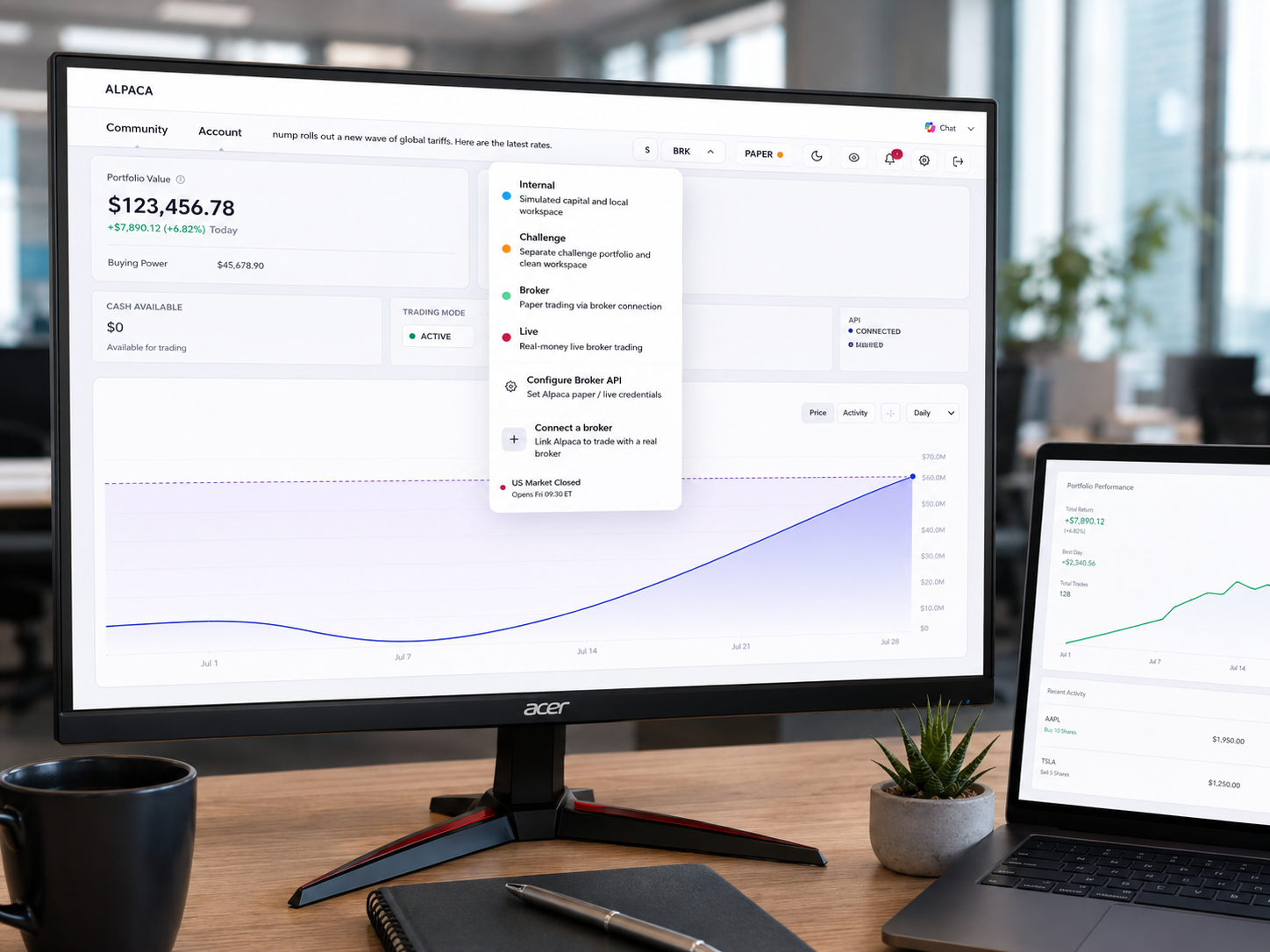
A strategy that passes its backtest still has to be run. The portfolio is where equity, open positions and strategy activity come together — with a mode switch for simulated capital, a clean challenge workspace, broker paper trading or real-money execution.
Trading modes
Four ways to run the same strategy.
Move a strategy along the risk ladder at your own pace. The rules never change between modes — only the capital behind them.
MODE 01
Internal
Simulated capital in a local workspace. The fastest way to watch a freshly built strategy behave in forward time without any external connection.
MODE 02
Challenge
A separate portfolio and a clean workspace, isolated from your main book — useful for running a strategy under fixed constraints without contaminating anything else.
MODE 03
Broker paper
Paper trading through a connected broker, so order handling and fills go through the same path a live account would use.
MODE 04
Live
Real-money execution through your connected broker credentials, with the same monitoring and the same controls as every other mode.
Control surface
Stop everything from one place.
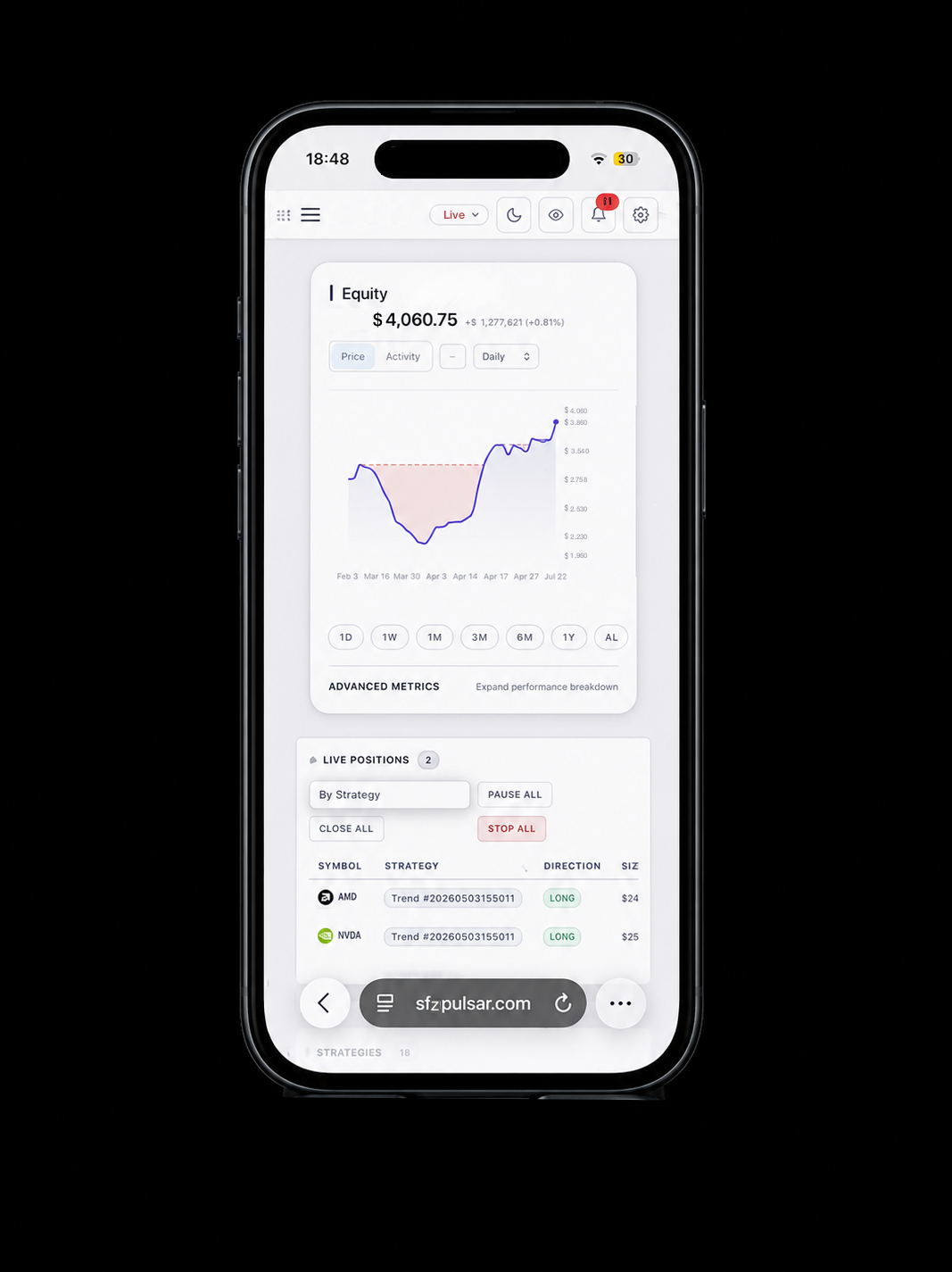
Automation is only acceptable if you can interrupt it instantly. Live positions are listed with the strategy that opened them, and the controls to pause, close or halt are on the same screen — not three menus deep.
- Positions grouped by strategy, so you always know what opened a trade.
- Pause all, close all, stop all — blunt instruments, available immediately.
- Live equity and open PnL updating alongside the position table.
- Advanced metrics inline — the same performance breakdown the analytics workspace uses.
Connecting a broker
Your account stays yours.
Pulsar executes through broker credentials you provide and control. Connect a paper account first, satisfy yourself that order handling behaves the way you expect, and only then move to live capital.
Configure the connection
Set up paper or live broker credentials from the portfolio, and switch between them without touching the strategy definition.
Verify on paper
Run through the broker's paper environment so fills, rejections and market hours behave the way they will when it counts.
Promote when ready
Flip the mode when the forward results hold up. Nothing about the strategy needs rewriting to make the move.
Run your strategies with the controls in reach.
Pulsar is in closed beta. Create an account, or tell us what you are trying to build.
Live trading carries a substantial risk of loss. Only trade with capital you can afford to lose.